How to clean registry to improve your PC performance
By Renee | 19/Aug/2026
Seriously, the word Registry is seldom mentioned to the PC users by Microsoft.
Registry is the database that restores all the information about hardware, software and system configuration settings in form of keys and values. And even if it needs to be cleaned and fixed, we would be scared to run for the PC service shop for a check. It looks complicated actually.
However, we have to fight with it, since it has great impact on the PC performance. In other words, it would affect the running speed of PCs, which means reduction of gaming speed, browsing speed and uploading speed. Horrible!
Here are some tricks and tips to help you clean registry to improve your PC performance.
1. First of all, backup of the registry data is always the first security.
->Click Start, type regedit in the search box, and press Enter.
->Click File>Export.
-> In the dialogue box, enter a useful name such as registrybackup, select a useful location (My Document is the default) and click save.
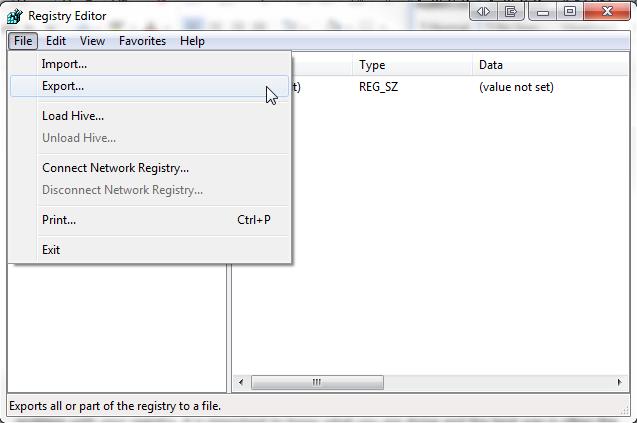
Then,
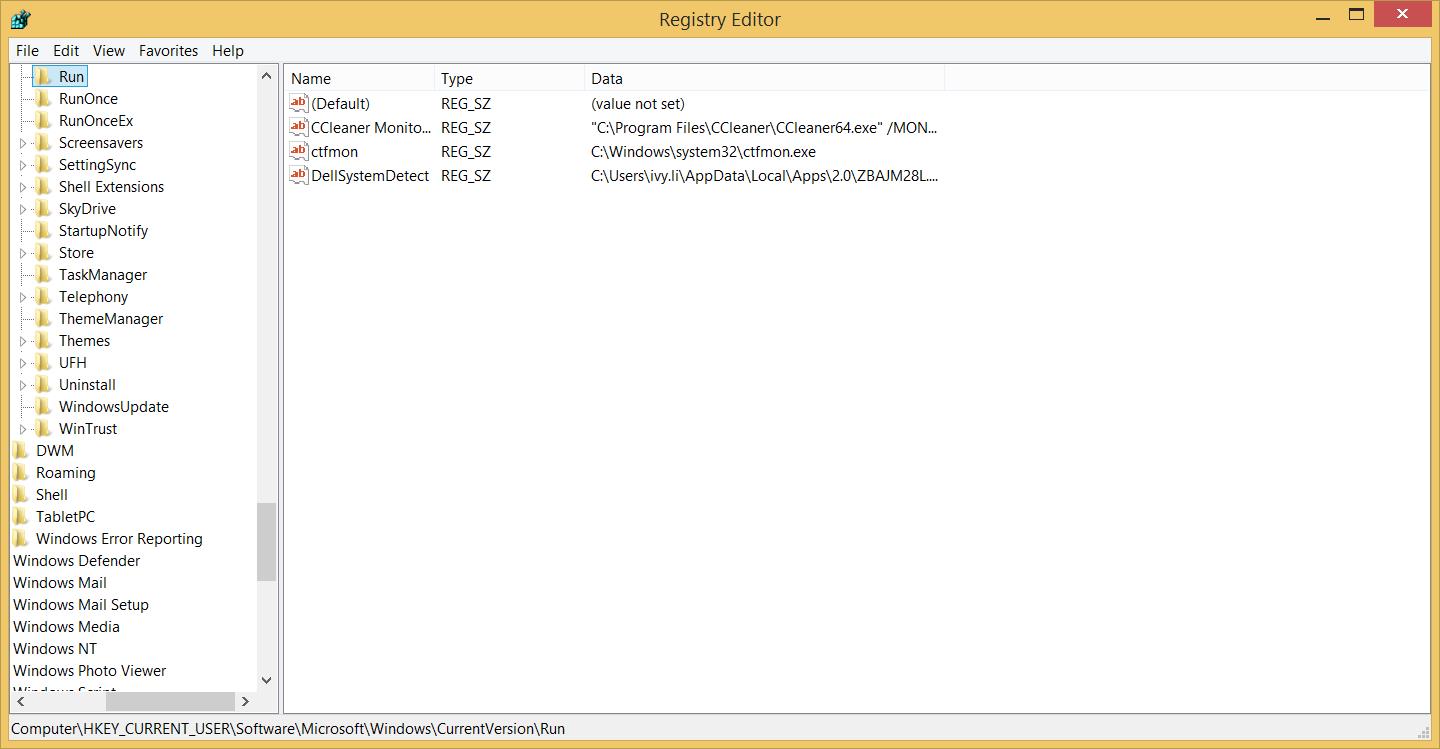
->Click Start, type regedit in the search box, or press the hot key Windows+R.
->Find out and click to open the folder
HKEY_CURRENT_USER\Software\Microsoft\Windows\CurrentVersion\Run,
where we can find the autostart application.
->Right click the entries and delete we do not want or need.
2. Regscan
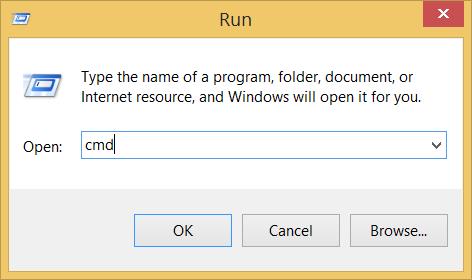
->Click the Widows Start button and select Run.
->Enter cmd into the text box and press OK.
-> Type scanreg or autorun into the command prompt and press Enter.
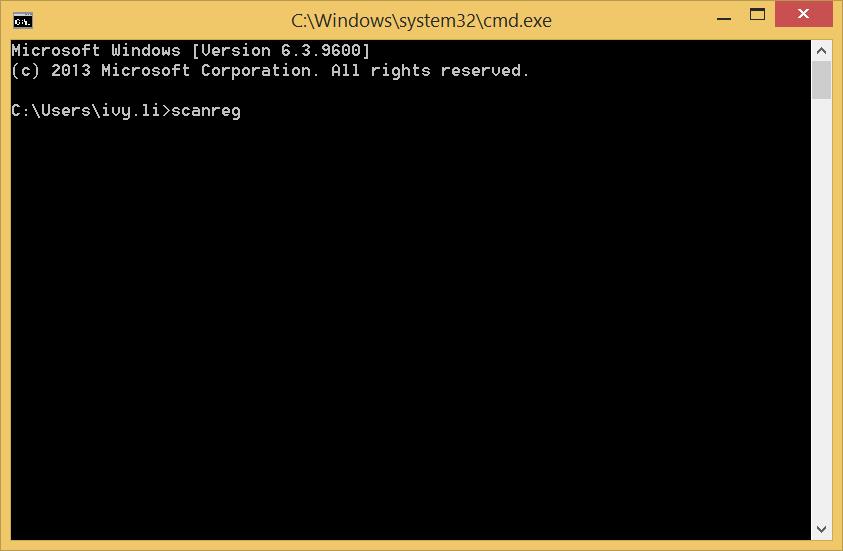
-> Type scanreg or fix to fix any corrupted entries even if no backup exists.
3. Still, if you are dizzy about the description of the tips above. Use a professional tool to get registry clean and improve the performance.
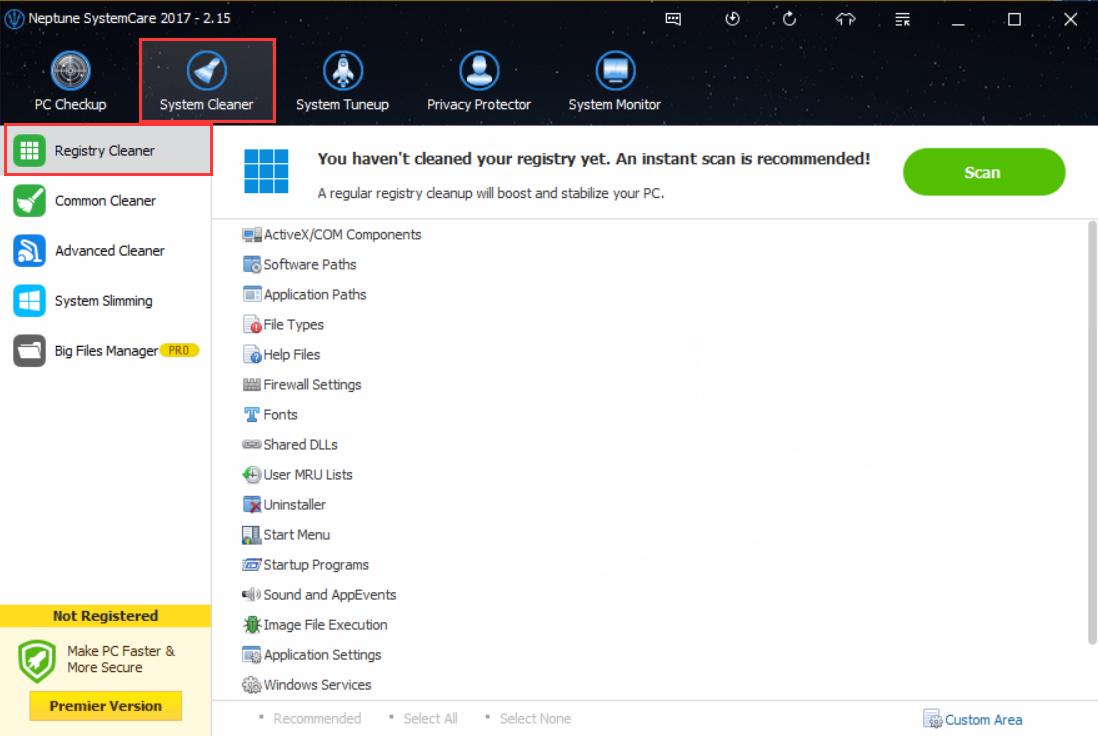
Neptune SystemCare 2017 is a free powerful PC tune up freeware with the ability to registry clean and windows optimize, getting your PC a better performance. Follow the steps below, or you can just ignore it and download one to have a try. Its interface is quite clear.
->Download and launch Neptune SystemCare 2017.
->Tab System Cleaener and choose Registry Cleaner to Scan.
One final note, and again, backup the registry before you do anything to it. Otherwise, you will mess your PC rather than improve your PC performance.